

Capture a structured incident record
Record what happened, when and where it occurred, its category and severity, the reporter, witnesses, and any injured party.
Incident management software
Capture the event, investigate the cause, assign corrective actions, link related risks, and preserve a complete history from first report to closure.
No card required for the demo. Paid workspaces activate after checkout.
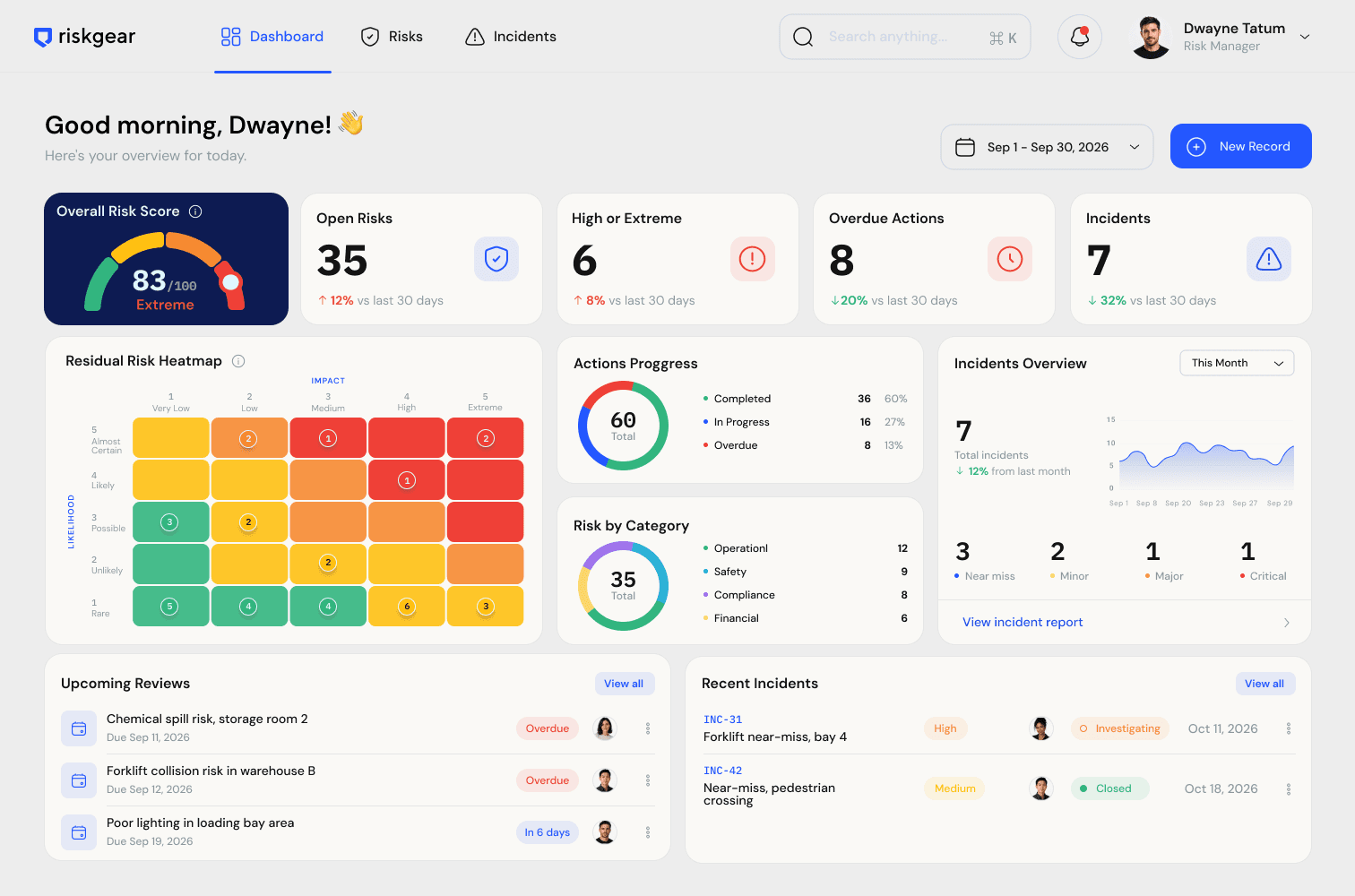
A form can record that something happened. It does not automatically show who investigated it, which actions followed, whether deadlines were met, or which known risks should be reassessed.
RiskGear keeps the report, investigation, corrective actions, approvals, linked records, comments, and audit events in one place. That gives operations teams a shared account of both the event and the response.
What the system keeps together
Record what happened, when and where it occurred, its category and severity, the reporter, witnesses, and any injured party.
Add root-cause analysis and contributing factors after the initial report while preserving the history of the record.
Assign corrective actions with owners, due dates, and statuses so an investigation results in accountable work.
Link an incident to the risks it validates or changes, giving reviewers a clear line between anticipated exposure and actual events.
A practical workflow
Capture the facts quickly with separate category, severity, people, location, and time fields.
Move the incident into investigation and add root causes and contributing factors as evidence develops.
Assign corrective actions, owners, and deadlines, then track work through completion.
Complete review, retain the audit trail, link related risks, and export the incident report.
Frequently asked questions
RiskGear records the incident description, occurrence time, location, category, severity, reporter, witnesses, injured party, root-cause analysis, contributing factors, corrective actions, and linked risks.
Yes. Category describes the type of event, such as a near miss or injury. Severity records how serious it was, from Minor to Critical.
Yes. Corrective actions are added to an existing incident and can have their own owner, due date, status, description, and audit history.
Yes. Teams can link related risk and incident records so an actual event can inform the assessment, controls, and future treatment of a known risk.
Explore related workflows